
Your PC's vitals on a VoCore screen.
Live CPU, GPU, fan, pump and RAM stats in one small app. No SimHub. No HWiNFO. No subscription.
Features
Live sensors
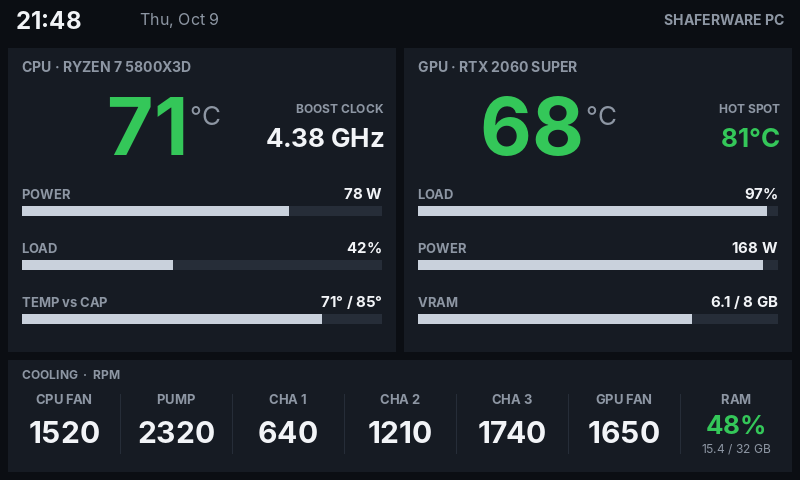
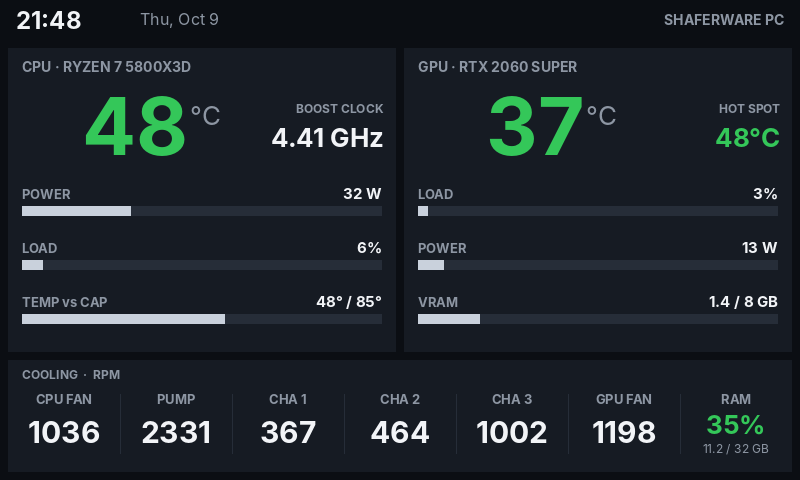
CPU and GPU temperatures, power, clocks and load, plus fans, pump, RAM and VRAM, updated every 2 seconds.
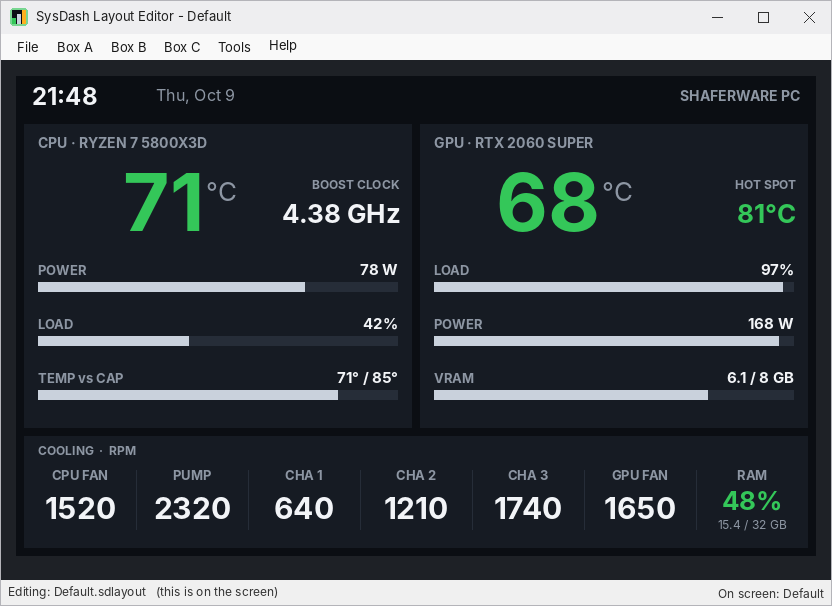
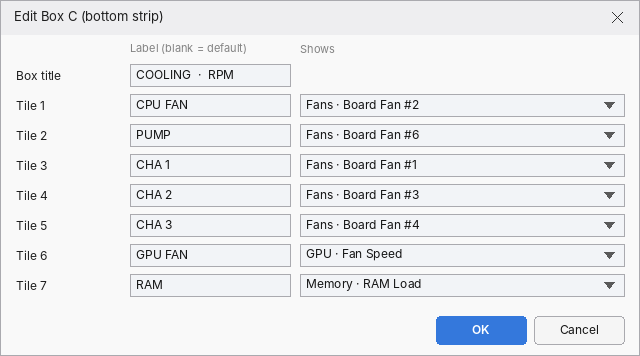
Layout Editor
Click any of the three boxes and pick what it shows, from built-in favorites or any sensor on your PC. Save as many layouts as you like.
Smart alerts
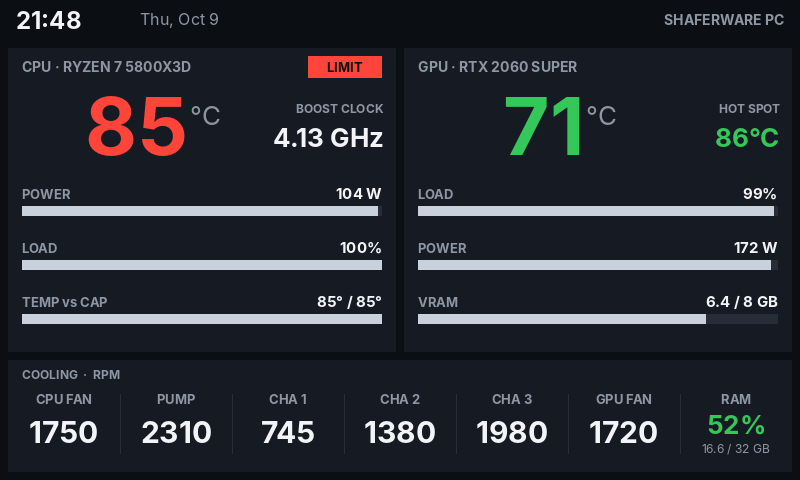
Values go green, then amber, then red. A LIMIT badge lights when the CPU reaches your BIOS temperature or power cap. A stalled pump turns red right away.
Tiny footprint
About 40 MB of RAM and 0.1% CPU. One app reads the sensors, draws the dashboard and drives the screen.
Clean shutdown
The screen goes dark when Windows shuts down or sleeps, so it never freezes on the last frame.
Your branding
Put your name, company or PC name in the header.
On the screen
How it works
Plug in your VoCore screen.
Unzip SysDash and run
ShaferWareSysDash.exe(it asks for administrator access to read CPU temperatures and fans).Double-click the tray icon to open the Layout Editor, choose what to show, then press F5 to apply it to the screen.
Optional: run
install.batas administrator to start SysDash with Windows.
Requirements
- Windows 10 or 11, 64-bit (.NET Framework 4.7.2, which is built into Windows)
- VoCore USB screen, 800x480 (tested on the 5" V7B panel)
- The VoCore USB driver (WinUSB/libusb). If SimHub has already driven your screen, the driver is installed.
- The PawnIO driver, used to read CPU temperatures and motherboard fans. The LibreHardwareMonitor app installs it.
- Close SimHub before starting SysDash, because only one program can drive the screen at a time.
- Administrator rights. SysDash asks for administrator access each time it starts, because Windows only lets admin programs read CPU temperatures, power and fan speeds.
- Because it runs as administrator, verify your download before you run it.
Download
- Version
- Version 0.2
- File
- ShaferWare-SysDash.zip
- Size
- 2.4 MB (2,367,245 bytes)
- Checksum
Release notes and earlier versions are on GitHub.
Credits
Sensor reading: LibreHardwareMonitorLib (MPL 2.0). USB: libusb (LGPL 2.1).
VoCore and SimHub are trademarks of their respective owners. SysDash is not affiliated with either.